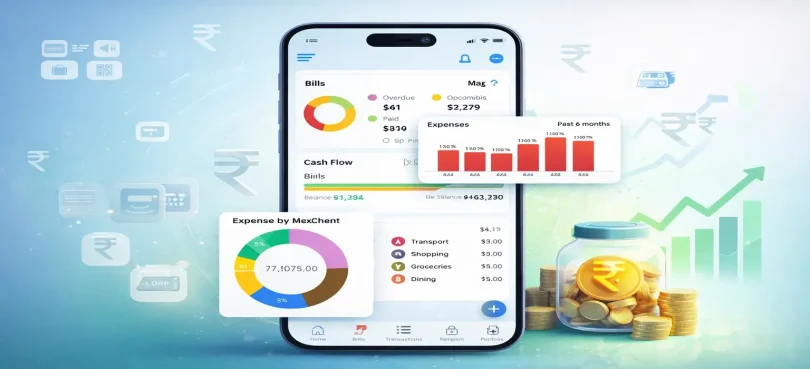

If you’re new to managing money, expense tracker apps for beginners can completely change how you handle your finances. Instead of wondering where your salary disappears each month, these apps help you clearly see, control, and improve your spending habits.
Think of it like this: you don’t need to become a finance expert overnight. You just need a simple tool that shows you the truth about your money—and that’s exactly what these apps do.
Let’s break everything down step by step in a way that actually makes sense.
What Are Expense Tracker Apps?
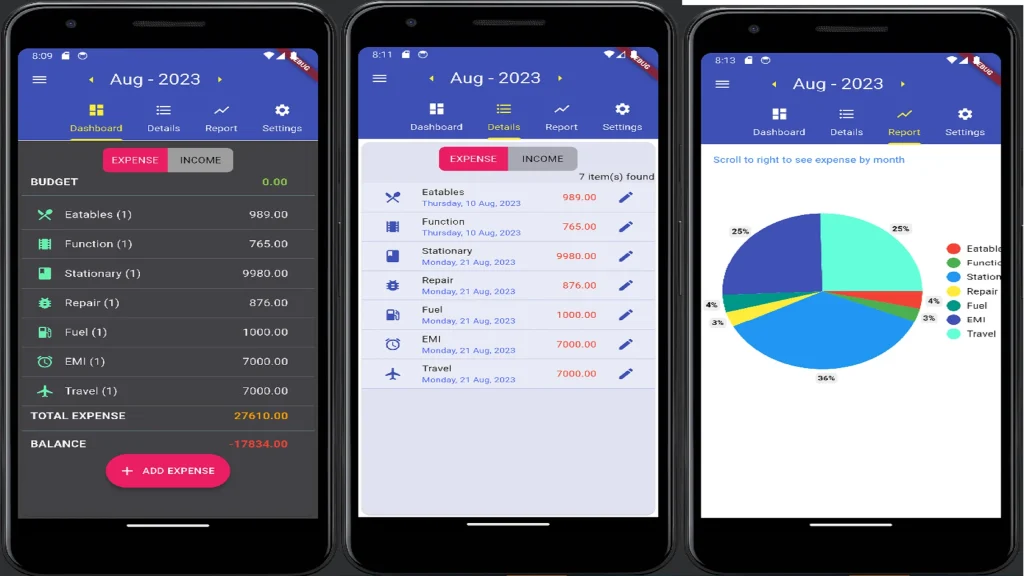
Expense tracker apps are mobile applications that help you record, monitor, and analyze your daily spending. Whether you buy groceries, pay bills, or shop online, these apps keep everything organized in one place.
Some apps track expenses automatically by connecting to your bank, while others let you manually enter your spending.
Why Expense Tracker Apps Are Important for Beginners
When you first start managing money, the biggest challenge is lack of awareness. You might feel like you’re saving, but in reality, small daily expenses add up quickly.
Here’s how expense tracker apps help:
- They show exactly where your money goes
- They help you avoid overspending
- They make budgeting easier
- They build strong financial habits
- They reduce financial stress
Even tracking your expenses for just one month can open your eyes.
Best Expense Tracker Apps for Beginners (Detailed Overview)
Let’s look at some beginner-friendly apps and why they work so well.
1. Mint
Mint is one of the most popular apps for beginners because it does most of the work for you.
Key Features:
- Automatically tracks transactions
- Categorizes expenses (food, bills, shopping, etc.)
- Sends alerts for overspending
- Shows your credit score
Why it’s beginner-friendly:
You don’t need to manually enter everything. Once set up, it works in the background and gives you insights.
You may also like it:
Best Simple Finance Tools For Daily Use To Track Spending
Simple Budget Tips For Beginners To Save Money Easily
Daily Budget Tips To Save Money and Improve Your Finances
2. YNAB (You Need A Budget)
YNAB is more than just an expense tracker—it actually teaches you how to budget.
Key Features:
- “Give every dollar a job” method
- Real-time expense tracking
- Goal-setting tools
- Detailed financial reports
Why beginners love it:
It focuses on building discipline and long-term habits, not just tracking.
3. PocketGuard
PocketGuard is perfect if you struggle with overspending.
Key Features:
- Shows how much money you have left after bills
- Tracks subscriptions
- Categorizes spending automatically
Best for beginners who:
Want a simple answer to “How much can I spend today?”
4. Spendee
Spendee is great if you like visuals and simplicity.
Key Features:
- Beautiful charts and graphs
- Easy expense entry
- Shared wallets for family use
Why it stands out:
It makes tracking money feel less boring and more engaging.
5. Goodbudget
Goodbudget uses a traditional envelope system but in digital form.
Key Features:
- Divide money into categories (rent, food, savings)
- Manual expense tracking
- Sync across devices
Best for beginners who:
Prefer full control and want to understand every expense.
Features You Should Look for in Expense Tracker Apps for Beginners
Before choosing an app, make sure it has these essential features:
1. Easy-to-Use Interface
If the app is confusing, you won’t use it consistently.
2. Automatic Tracking
Saves time and reduces effort.
3. Budget Planning Tools
Helps you set limits and stay on track.
4. Spending Reports
Shows patterns and helps improve habits.
5. Security
Your financial data must be protected.
Step-by-Step Guide to Using Expense Tracker Apps
If you’ve never used one before, don’t worry. Here’s a simple plan:
Step 1: Download One App
Pick just one app—don’t install too many.
Step 2: Set Up Your Profile
Add your income, basic expenses, and categories.
Step 3: Track Every Expense
Even small purchases matter. A cup of tea or snack counts.
Step 4: Check Weekly Reports
Spend 10–15 minutes reviewing your spending.
Step 5: Adjust Your Habits
Cut unnecessary expenses and improve gradually.
Real-Life Example (Simple Understanding)
Imagine you earn 50,000 per month.
Without tracking:
- You spend randomly
- End up with no savings
With an expense tracker:
- 20,000 goes to bills
- 15,000 to daily expenses
- 10,000 saved
- 5,000 flexible spending
Now you’re in control instead of guessing.
Common Mistakes Beginners Make
Even with the best expense tracker apps for beginners, these mistakes can slow you down:
- Not updating expenses regularly
- Ignoring app notifications
- Setting unrealistic budgets
- Giving up too early
The key is consistency, not perfection.
Tips to Use Expense Tracker Apps Effectively
- Start with basic tracking (don’t overcomplicate)
- Be honest about your spending
- Review your data weekly
- Set small, achievable goals
- Focus on improvement, not restriction
Over time, these small actions create big results.
Free vs Paid Apps – What Should You Choose?
Most beginners should start with free apps.
Free apps like Mint and Goodbudget offer everything you need:
- Expense tracking
- Budgeting tools
- Basic reports
Paid apps like YNAB (You Need A Budget) are useful if you want advanced features and deeper financial planning.
Who Should Use Expense Tracker Apps?
These apps are perfect for:
- Students managing pocket money
- Salaried individuals
- Freelancers tracking income and expenses
- Families planning budgets
Basically, anyone who wants better control over money.
Final Thoughts
Starting with expense tracker apps for beginners is one of the simplest and smartest ways to improve your financial life. You don’t need complicated strategies—just awareness and consistency.
At first, it might feel like extra work. But within a few weeks, it becomes a habit. And once that happens, you’ll notice something powerful:
you’re no longer confused about your money—you’re in control of it.
Start today with one app, track your spending honestly, and take the first step toward smarter financial decisions.
FAQs – Expense Tracker Apps for Beginners
1. What are expense tracker apps for beginners?
Expense tracker apps for beginners are simple mobile apps that help you record, organize, and understand your daily spending. They are designed to be easy to use, even if you have no financial knowledge.
2. Which is the best expense tracker app for beginners?
Some of the best beginner-friendly apps include Mint, YNAB (You Need A Budget), PocketGuard, Spendee, and Goodbudget. The best one depends on your needs—automatic tracking, manual control, or budgeting guidance.
3. Are expense tracker apps safe to use?
Yes, most popular apps use strong security features like encryption to protect your data. Apps like Mint and PocketGuard are known for their security systems. However, always use strong passwords and avoid sharing your login details.
4. Do I need to pay to use expense tracker apps?
No, many expense tracker apps for beginners are free. Apps like Mint and Goodbudget offer free versions with enough features for beginners. Paid versions are optional if you want advanced tools.
5. How often should I update my expenses?
Ideally, you should track your expenses daily. If that’s not possible, update your app at least 2–3 times a week to keep your data accurate.